Ray tracing (single interface, paraxial approximation):
Explore ray tracing using Microsoft Excel. The linked spreadsheet traces rays across a single spherical interface in the paraxial approximation using matrix multiplication. It contains a macro, which increments the launch angle for 7 rays. The results of the calculations are plotted. The object position, the radius of the interface, and the indexes of refraction can be chosen by the user. The object position can be on either side of the interface. Please explore the spreadsheet and feel free to modify it.
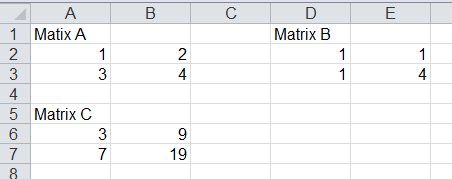
Assume you want to find the product C of two matrices, A and B.
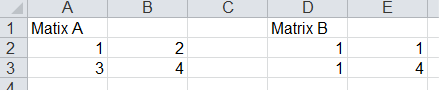
Type in your two matrices, one number per cell. Check your dimensions. Matrix multiplication is possible if the number of columns of A equals the number of rows of B. If A is a m x n matrix and B is a m' x n' matrix, then C will be a m x n' matrix.
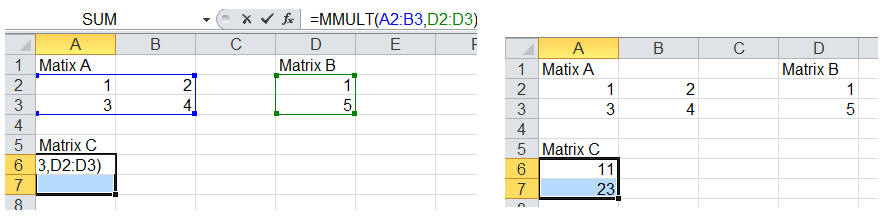
Select an m x n' rage of empty cells. Do nor click anything. Start typing the formula = MMULT(. You are using the build-in Excel function =MMULT(array1,array2). You will see the formula appear in the first cell of your selected range.

After you type the opening parenthesis, use your mouse to select the cells of matrix A. Type a comma, and then use your mouse to select the cells of matrix B. Type a closing parenthesis, but DO NOT hit Enter! Hold down CTRL+SHIFT and hit Enter. The elements of C will appear in your selected cells.